Execute PowerShell script
Executes a PowerShell script defined in an InVision Solution.
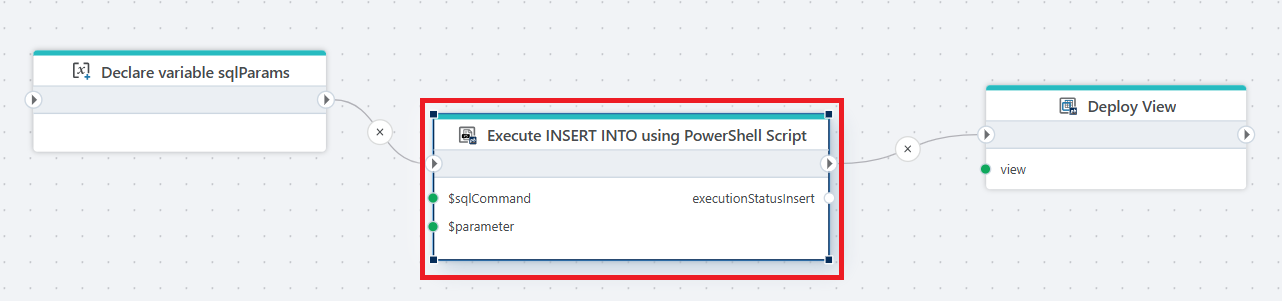
Example 
This flow inserts data into a database via a parameterized PowerShell script and then deploys a view to reflect the updated data.
Note
Maximum execution time of the script is 5 minutes. If the script is expected to take longer, use the Execute long-running PowerShell script action.
Properties
| Name | Type | Description |
|---|---|---|
| Title | Optional | A descriptive label for the action displayed in the Flow editor. |
| Connection | Required | Defines the InVision connection used to execute the PowerShell script. |
| PowerShell Script | Required | Selects the InVision PowerShell script to execute. |
| Parameters | Optional | Defines input parameters passed to the PowerShell script at runtime. |
| Result variable name | Optional | The name of the variable that stores the execution result or status. |
| Disabled | Optional | If enabled, the action will be skipped during execution. |
| Description | Optional | Additional notes or comments about the action or configuration. |
Returns
Variable - Contains the execution result of the PowerShell script, indicating success or failure.